Welcome to the world of home theater accessories! In this article, you will learn about the importance of a professionally installed home theater accessory. Whether it be a surround sound system, projector, or even a cozy seating arrangement, having the right accessories can truly enhance your movie-watching experience. Sit back, relax, and let us guide you through the process of creating the ultimate home theater setup. Have you recently purchased a new home theater accessory and need help with the installation process? Don’t worry, you’re in the right place! In this article, we will guide you through the step-by-step process of installing various home theater accessories to enhance your entertainment experience at home. Whether you’re setting up a new sound system, mounting a projector, or organizing cables, we’ve got you covered. Let’s get started!
Sound System Installation
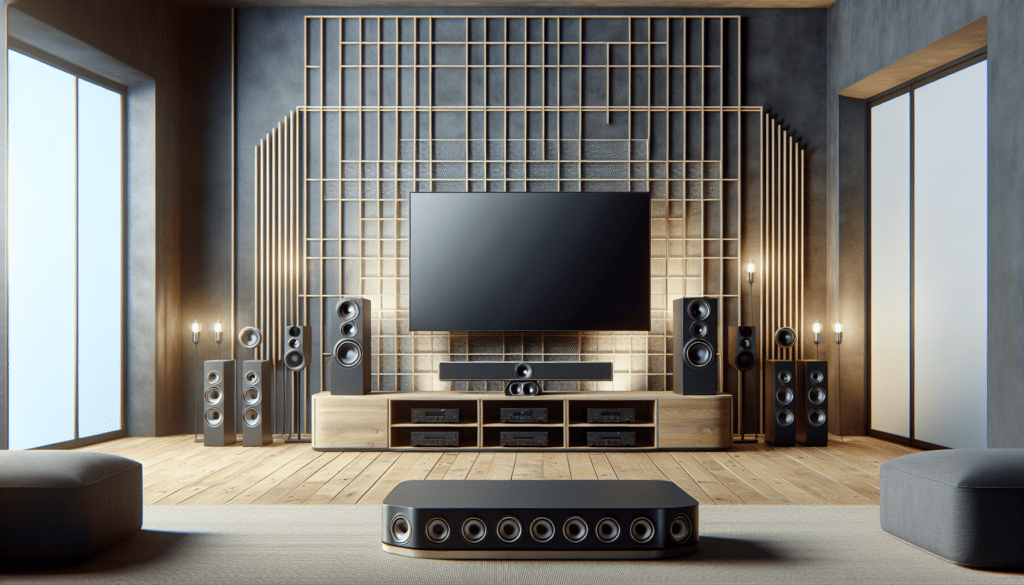
Setting up a sound system for your home theater can greatly improve the audio quality of your movie-watching experience. Whether you’ve purchased a surround sound system or a soundbar, the installation process is relatively similar.
First, identify the optimal placement for your speakers. For a surround sound system, place the front speakers on either side of the television screen facing the viewing area. The center speaker should be placed above or below the TV, directly in front of the seating area. Rear speakers should be placed behind the viewing area, slightly above ear level.
Next, connect the speakers to the receiver using speaker wire. Make sure to match the positive and negative terminals on both the speakers and the receiver. Secure the connections by twisting the bare ends of the wire and inserting them into the corresponding terminals.
Once all the speakers are connected, connect the receiver to your TV or media player using HDMI or optical cables. Power on the system and adjust the speaker levels and settings to optimize the audio output.
Tips for Sound System Installation:
- Use a stud finder to locate the wall studs when mounting speakers to ensure a secure installation.
- Ensure all speaker wire connections are secure and free from any frays or damage to avoid sound quality issues.
- Experiment with speaker placement to find the optimal positioning for the best sound experience.
By following these steps and tips, you can enjoy immersive audio quality in your home theater setup.
Projector Mounting
Mounting a projector for your home theater can provide a cinema-like experience in the comfort of your own home. Whether you’re mounting the projector on the ceiling or on a wall, the process requires careful planning and precise execution.
Start by selecting the location for the projector mount. The ideal location should provide a clear line of sight to the screen and be easily accessible for maintenance and adjustments. Use a stud finder to locate the ceiling or wall studs for secure mounting.
Next, install the projector mount according to the manufacturer’s instructions. Make sure to use the appropriate mounting hardware and follow weight-bearing guidelines to ensure a safe installation. Once the mount is securely in place, attach the projector to the mount and adjust the projection angle and focus for optimal viewing.
Tips for Projector Mounting:
- Use a projector mount that offers tilt and swivel adjustments for flexibility in positioning.
- Consider using a projector screen to enhance the viewing experience and improve image quality.
- Check the projector’s throw distance and screen size compatibility before finalizing the mounting location.
With the projector securely mounted and calibrated, you can enjoy a larger-than-life viewing experience in your home theater.
Cable Management
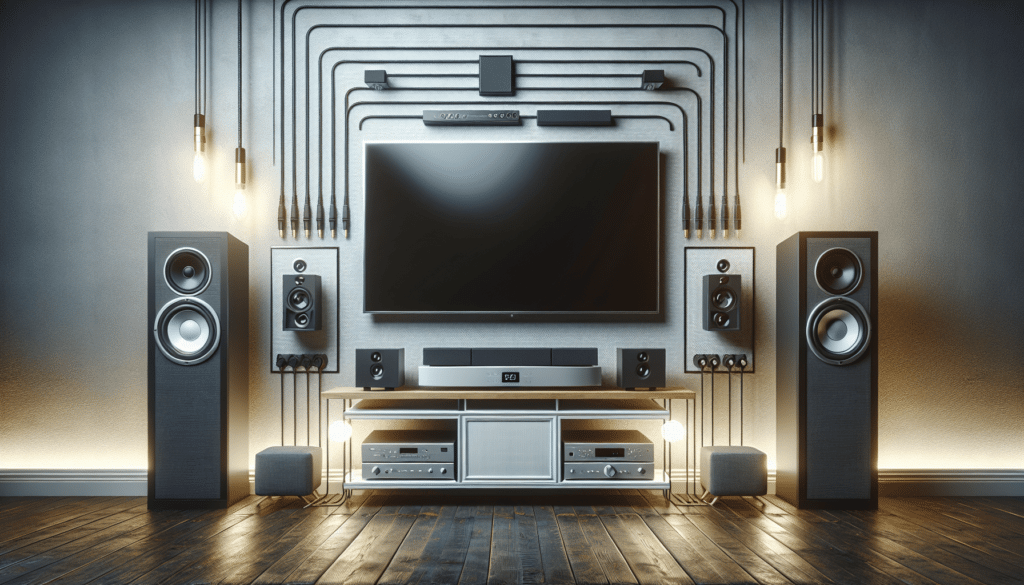
Organizing cables in your home theater setup is essential for a clean and clutter-free entertainment area. With multiple devices such as TVs, sound systems, and gaming consoles, cable management can easily become overwhelming.
Start by identifying the cables that need to be connected and organizing them based on their length and usage. Use cable ties, clips, or sleeves to bundle and label the cables for easy identification and maintenance. Route the cables along the walls or baseboards using cable channels or raceways to conceal them from view.
Next, use cable management solutions such as cable trays or wire baskets to vertically organize and route cables behind furniture or walls. Consider using color-coded cable ties or labels to distinguish between different types of cables for easy troubleshooting and maintenance.
Tips for Cable Management:
- Use cable organizers such as cable sleeves or clips to prevent tangling and protect cables from damage.
- Label each end of a cable with the corresponding device name for easy identification during setup or troubleshooting.
- Regularly inspect and organize cables to prevent dust buildup and ensure optimal performance of connected devices.
By implementing these cable management tips and solutions, you can maintain a tidy and organized home theater setup for an enhanced viewing experience.
Seating Arrangement
Creating a comfortable and functional seating arrangement in your home theater is essential for an enjoyable viewing experience. Whether you have a dedicated theater room or a multi-purpose living space, the seating layout should prioritize comfort, viewing angles, and audience size.
Start by determining the viewing distance from the screen based on the screen size and resolution. For optimal viewing, the distance between the seating area and the screen should be approximately 1.5 to 2.5 times the screen diagonal. Arrange theater seating in rows or groups to accommodate the number of viewers and create a theater-like atmosphere.
Next, consider the type of seating options available for your home theater, such as recliners, sofas, or theater seats. Choose seating that provides ample comfort and support for extended viewing sessions. Position the seating at the correct viewing angle relative to the screen to minimize neck strain and enhance the viewing experience.
Tips for Seating Arrangement:
- Create a seating layout that maximizes the viewing angles for all viewers in the room.
- Allow for sufficient spacing between seats to ensure comfort and accessibility for all viewers.
- Consider adding accessories such as cup holders, storage compartments, or reclining features to enhance the comfort and convenience of the seating arrangement.
By carefully planning and arranging the seating in your home theater, you can create a cozy and inviting space for enjoying movies, TV shows, and gaming sessions with friends and family.
Lighting Design
Designing the lighting scheme for your home theater is crucial for setting the mood and enhancing the viewing experience. Proper lighting can improve contrast, reduce eye strain, and create a cinematic atmosphere in your entertainment space.
Start by assessing the natural lighting in the room and determining the best window treatments to minimize glare and light pollution. Consider installing blackout curtains or shades to block out external light sources during daytime viewing.
Next, add adjustable lighting fixtures such as dimmable recessed lights, sconces, or LED strips to create customizable lighting effects for different viewing scenarios. Use warm-colored lighting for ambient lighting and cool-colored lighting for task or accent lighting to enhance the visual appeal of the room.
Tips for Lighting Design:
- Use lighting controls such as dimmer switches or smart lighting systems to adjust the brightness and color temperature of the lights.
- Position lighting fixtures strategically to avoid screen glare and shadows on the screen during viewing.
- Incorporate lighting automation features to create preset lighting scenes for different viewing modes, such as movie night or gaming sessions.
With the right lighting design in place, you can transform your home theater into a cozy and immersive entertainment space for enjoying movies, TV shows, and gaming experiences.
Conclusion
Congratulations on successfully installing your home theater accessories! By following the step-by-step installation guides and tips provided in this article, you can create a personalized and functional entertainment space in your home. Remember to regularly maintain and update your home theater setup to ensure optimal performance and enjoyment for years to come.
If you have any questions or need further assistance with your home theater installation, feel free to reach out to our customer support team for personalized guidance and support. Enjoy the immersive audio and visual experience of your newly installed home theater accessories, and happy viewing!